Tuesday, November 26, 2013
2D Tiles Games - More Algorithms to Slice Tilesets
Prior to heading out to go fishing, I came across this nice post on slicing a tileset into rows and columns. The example uses Surface.subsurface, which I haven't been using effectively.
The author wrote a more elaborate tutorial here.
The author of bitcraft-PyTMX used the code below to handle tilesets.
I plan to review the code snippets above in more detail after the fishing trip.

Sunday, November 24, 2013
Pygame on Android App Crashes on Start: FIXED
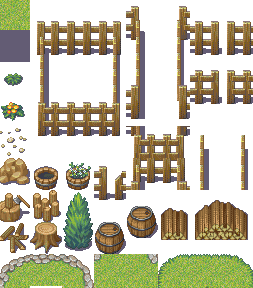 |
| A good tileset in the wrong place at the wrong time |
This has happened in the past with other games. We usually solve the problem with adb, the Android debugger. Today, the fix was easy. However, since I know that it can be daunting to wade through the adb logcat, I'll provide a few tips specific to Python / Pygame Subset for Android debugging.
My son's game uses Python and pgs4a. He also uses Tiled to export JSON map files.
From the Linux command line, you can either just run adb logcat or you can run it through grep and look for references to python.
A larger snippet of the log file is shown below.
In this case, the error was an incorrect reference to the tileset graphic.
The error is caused by a relative reference to a non-existent file. Although the program works on the desktop, it doesn't work on the phone. The fix is to place the tileset files in the same directory or sub-directory of your main.py program and create a new map and tileset with tiled. If you've already created an extensive map, you can also edit the json file with a text editor to have it reference the correct location.
In this example, the file is called grass_water_terrain.png.
In a previous game, my son had a similar problem with the app crashing when it tried to load a font file that was in the wrong location. Fonts and graphics are the two most common problems. If you have all your fonts and graphic files in the same directory and your program still doesn't work on Android, but works on your desktop, you may be trying to import a library another directory. Everything needs to be in the directory where main.py is or in a sub-directory.
If the application works on your desktop and it builds and then loads onto your phone fine, but crashes on start, think through what files the application is trying to load on the Android phone. Then, work backwards and think through the differences between the phone directory structure and your desktop. Also, think about the obvious things. Check that you imported the android library and you've initialized it android.init().
If the problem is not immediately obvious, fire up adb and look for references to python.
Checklist:
- import android library
- initialize android library
- main game file is called, main.py
- graphic files are in the main or sub-directory
- font files are in the main or sub-directory
- custom libraries that you wrote are in the main or sub-directory
Update: March 3, 2014
One of the viewers of my pychildren YouTube channel had a problem with sound. The important section is to map pygame.mixer and android.mixer to mixer.
try:
    import pygame.mixer as mixer
except ImportError:
    import android.mixer as mixer
Tuesday, November 5, 2013
Pygame Subset for Android Sprite Optimization with RenderUpdates
In order to get 2D map games written in python working faster on low-end Android phones, I experimented with optimizations. I purposely selected a complex background image in order to stress the application.
The first set of huge gains came from using the Surface.convert_alpha() method to optimize the images. This was easy and resulted in significant performance gains.
The trickier part was to update only the sections of the screen that had changed since the last cycle.
I decided to use sprites for this since many of the optimization examples I've seen use sprites. Instead of using pygame.sprite.Group, I used pygame.sprite.RenderUpdates. This is basically the same as the sprite group, but it as the enhanced ability to track the changed areas of the screen.
The images in the group are drawn to the screen with the standard sprite.Group.draw(SCREEN) method. The cool little addition is the RenderUpdates.clear(SCREEN, background) method which clears the sprite by blitting a piece of the background over it. Nice.
The final section is to update the display with a list of the rectangles, pygame.display.update(rectlist).
That's the main things to change. I experimented with not ticking the pygame.time.Clock under android. I'm not sure if it makes a difference, but the application appeared to me to run slower on android when I used the clock tick.
This is the first time that I've used this bit of code to pause the android device when the user hits things like the home button on the phone.
I was pretty happy that my alpha transparency worked with the sprite group.
I also experimented with different ways to optimize the events. However, I couldn't find anything useful.
Here's the full code.
Monday, November 4, 2013
Paint Program with Pygame
My fourteen year old son did a nice job with his paint program. This took two or three lessons. He's making rapid progress now. He's quite busy with school and sports and doesn't have enough time to work on his programming. Despite the limited time he spends on programming, his cognitive skills are improving rapidly and he's able to build usable programs in a short amount of time. He was also able to incorporate feedback from his 8 year old sister. She designed the color palette and put a feature request for the stamps. I think she might have preferred flowers to the stamps.
This program uses Pygame and pgs4a.
Stay tuned for his next application, a JSON 2D map loader and maze game.
Sunday, October 27, 2013
Kivy, nvidia drivers and Linux Ubuntu 12.04
I sometimes wonder if I'm getting too old to fiddle around with Linux as my main desktop at home. I'm no longer reading mailing lists or forums and my friends have all moved to Mac OS X.
Today was one of those days. I fired up Kivy and PyCharm this morning, hoping to punch out a quick touch-paint example for my son's lesson. Unfortunately, Kivy had stopped working, spitting forth odd complaints about [WinPygame] Video: failed.
After I figured out that the error was related to the nvidia 3D driver, I decided to rollback the video driver version from nvidia-325 to nvidia-current 304. When I rebooted my system, I could no longer get into X, leaving me with a text console and odd errors complaining that the kernel module was still trying to load the nvidia-325 module.
At this point, I'm thinking that the coffee isn't kicking in, I'm getting too old, and that I don't really want to be messing around with kernel modules. sigh. I just wanted to write a python script.
After an hour of messing around with kernel modules and X configurations, I decided to simply add the xorg-edgers 3rd party repository into my apt repository list and use apt-get to install nvidia-325.
I reboot and kivy starts working again.
I am not sure what started the problem. When kivy stopped working, Pygame was still working. I suspect that the nvidia driver or some graphics library got automatically updated, causing some graphics problems with kivy.
I notice that the newest version of the nvidia driver is 331. I don't think I'll upgrade it right now.
To revert to official packages, install the ppa-purge package and run "sudo pp-purge xorg-edgers"
Driver for Ubuntu 14.04 Trusty Tahr is nvidia-340.
Update September 12, 2014
I used this great blog post on installing the latest Nvidia drivers on Ubuntu 14.04 Trusty Tahr.
Today was one of those days. I fired up Kivy and PyCharm this morning, hoping to punch out a quick touch-paint example for my son's lesson. Unfortunately, Kivy had stopped working, spitting forth odd complaints about [WinPygame] Video: failed.
After I figured out that the error was related to the nvidia 3D driver, I decided to rollback the video driver version from nvidia-325 to nvidia-current 304. When I rebooted my system, I could no longer get into X, leaving me with a text console and odd errors complaining that the kernel module was still trying to load the nvidia-325 module.
At this point, I'm thinking that the coffee isn't kicking in, I'm getting too old, and that I don't really want to be messing around with kernel modules. sigh. I just wanted to write a python script.
After an hour of messing around with kernel modules and X configurations, I decided to simply add the xorg-edgers 3rd party repository into my apt repository list and use apt-get to install nvidia-325.
I reboot and kivy starts working again.
I am not sure what started the problem. When kivy stopped working, Pygame was still working. I suspect that the nvidia driver or some graphics library got automatically updated, causing some graphics problems with kivy.
I notice that the newest version of the nvidia driver is 331. I don't think I'll upgrade it right now.
To revert to official packages, install the ppa-purge package and run "sudo pp-purge xorg-edgers"
Driver for Ubuntu 14.04 Trusty Tahr is nvidia-340.
Update September 12, 2014
I used this great blog post on installing the latest Nvidia drivers on Ubuntu 14.04 Trusty Tahr.
Sunday, September 8, 2013
Top Six Platforms For Children to Learn Programming
This list is from an interview of Ali Partovi of Code.org from the Engadget Show.
Monday, August 26, 2013
Tiled JSON Map Loader Example Code Available
Someone asked me for the source code for the JSON map loader example I created for a video tutorial on using Tiled to export 2d tile maps as JSON map files. Although .tmx is a more popular format, Pygame Subset for Android does not support the xml parser libraries. Because of this, we can't use the TMX Loader library available on the Pygame site. Pytmxloader also will not work. This is unfortunate since the pytmxloader is especially nice. Although these libraries will work on the desktop. They will not work on the Android phone. :-(
At some point, I was planning to write a library for JSON map file loading. However, I never got around to it. The code below will work on desktop and mobile phones. It is for educational purposes only.
JSON Map Loader Lesson Code that works with Tiled maps.
Subscribe to:
Posts (Atom)