The full source code for the loader is available on github.
You can get the package at the link above or with git.
$ git init
$ git pull http://github.com/codetricity/json_loader
There are three skeleton program to get you started:

Maze. This is the only game that is fun enough to be playable. If you add a timer onto this game and a way to save the time scores, you'll have a fully playable game. Even with the basic skeleton, the game is still playable. You can create several maps with Tiled and then have a series of simple map games on your phone.
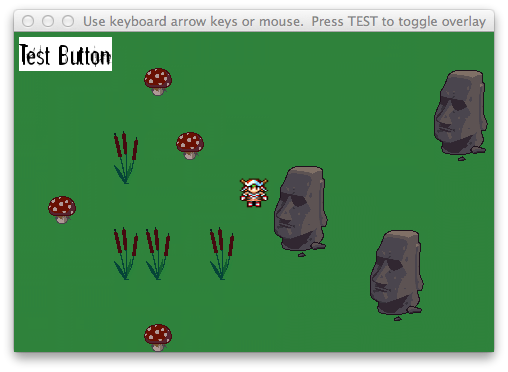
Adventure Map. The game is fully playable with the character moving around the screen with either a keyboard or touchscreen. The game doesn't have a layer to find things such as treasure or monsters. You'll need to add this layer and write the code to take an action such fight the dragon with a sword. For an idea of what to do with a map game, see my son's game Swarm that he developed when he was 13 years old. Note that Swarm doesn't use json_loader. Each map was created with Python code, not with a map editor. It took a while to build the different levels.


Scroller. I also started on a 2D scroller game using json_loader. The player scrolls and can jump around the screen. However, the platforms don't work. The character will fall right through the platform in the air. I wrote a number of blog posts on 2D side-scroller games. Here's another one.
Once you get the code, run the example program with:
$ python main.py
The default screen size is 480 x 320.
You can load a different map by opening main.py in a text editor and changing:
map_file = "maps/map.json"
map_file = "maps/test_map.json"
If you use test_map.json, you will have a maze game.
If you want to experiment, you can use the unfinished scroller game with:
$ python scroller_example.py
If you do create a game with json_loader, take a video of the game and put a link to the video in the comments.
